Set your regional format
You can configure how values are displayed for your user account. These changes apply only to your profile.
Open your profile and find Regional format.
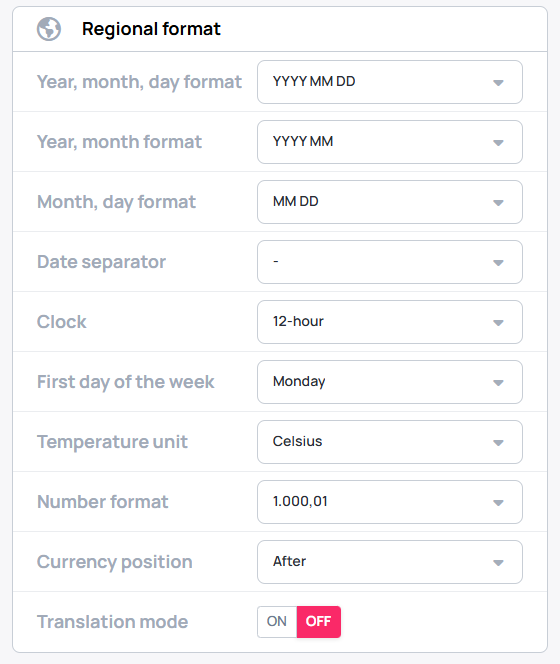
Regional format options
| Setting | What it controls |
|---|---|
| Year, month, day format | The display format for year, month, and day. |
| Year, month format | How the year and month are displayed. |
| Month, day format | How the month and day are displayed. |
| Date separator | The character (-, ., or /) used to separate dates. |
| Clock | A 12-hour or 24-hour clock format. |
| First day of the week | Which day is the first in your region. |
| Temperature unit | Metric or Imperial units. |
| Number format | How numbers, including decimal numbers, are displayed. |
| Currency position | Whether the currency symbol appears before or after the number. |
| Translation mode | Translation settings within the interface. |