Network Devices
As a network owner, this section gives you a complete overview of all devices across your entire network.
You can view and manage devices from all customers in your organization, providing full visibility and control over your digital signage infrastructure.
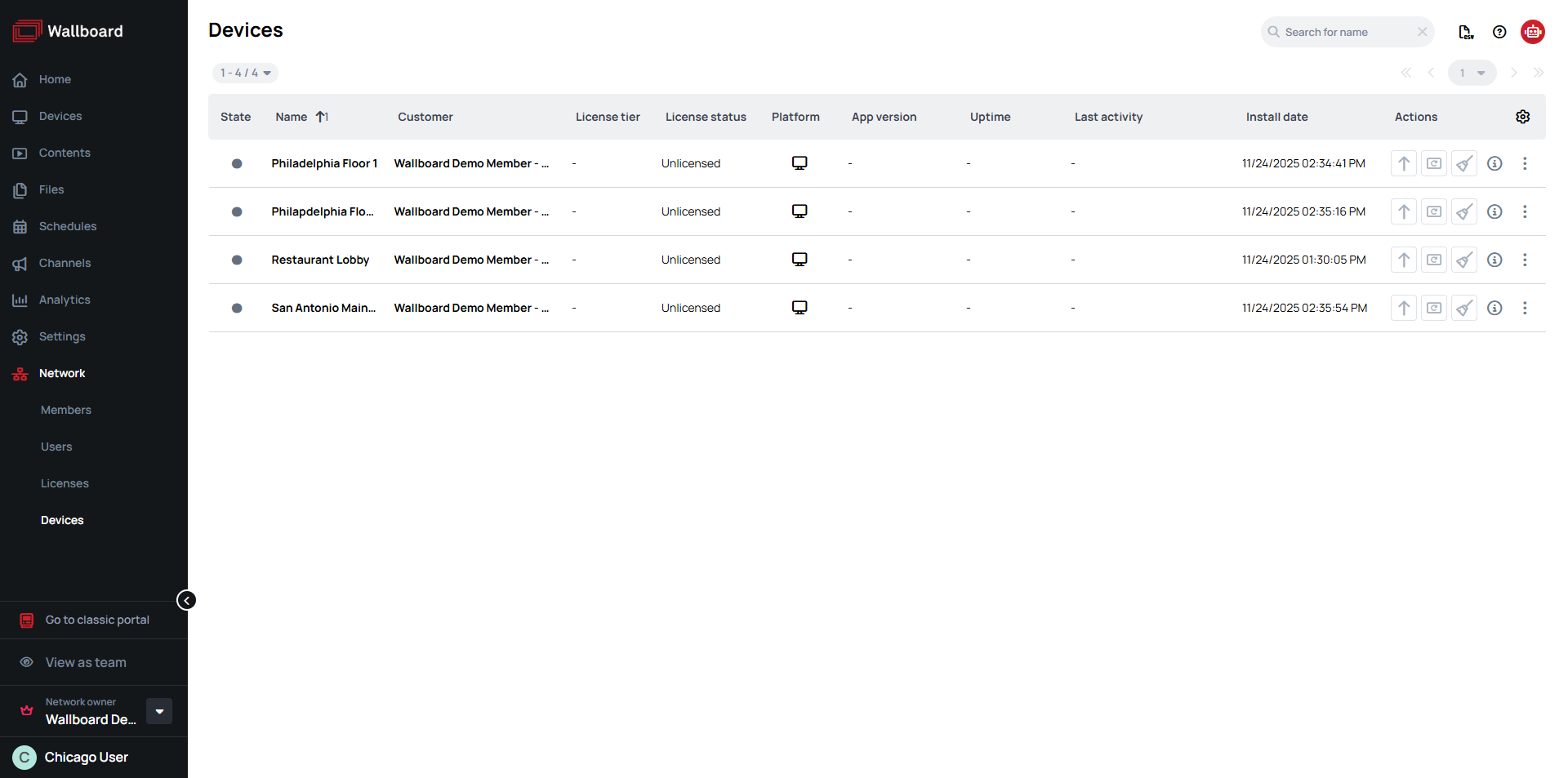
To access network devices, navigate to Network > Devices in the Wallboard interface.
Prerequisites
- Network Owner (Partner) account
- An Administrator user with access to network members
Devices List
Here are the available information about devices in your network:
- State - Current operational status of the device (online/offline)
- Name - Device name or identifier
- Customer - Network member/client the device belongs to
- License tier - License level assigned to the device
- License status - Whether the device has a valid license
- Platform - Operating system/hardware type (Windows, Android, etc.)
- App version - Version of the Wallboard application running on the device
- Uptime - How long the device has been running continuously
- Last activity - When the device last communicated with the system
- Install date - When the device was first registered/installed
- Actions - Quick action buttons for device management
- More Actions - Additional configuration options for the device
Device Actions
Quick actions
- Update version - Update the Wallboard player application on the device
- Learn more: Device Update Management
- Refresh - Refresh the content currently displayed on the device
- Clear cache - Clear the device's local content cache
- Device info - View detailed device information
More actions
- Send command - Send a specific command to the device (e.g., display on/off, brightness, volume, working hours, timezone, location, tags, and other configuration commands)
- Learn more: Generic User Commands for Android
- Learn more: Generic User Commands for Windows
- Restart - Remotely restart the device
- Lock/Unlock - Toggle device lockdown to prevent users from exiting the Wallboard application
- Learn more: Locking Windows Application
- Learn more: Locking Android Application
- Learn more: Locking JSCore Application
- Download device logs - Request and download device logs for debugging and troubleshooting
- Move to server - Move the device to a different server
- Learn more: Move Device to Different Server
- Remove - Permanently remove the device from the system
- Learn more: How to Remove Devices
Important
- Removing a device is irreversible. The device will return to the Unregistered Devices pool and will need to be re-registered to a customer.
- Move to server This action is only available to Technical managers and above roles. When a device is moved between servers, it automatically enters the registration state - all settings are preserved but the device will not display content until it is re-registered at the new server.
Locked Actions
When a device is offline certain device actions are unavailable on them. Here are the actions that are still active, when a device is offline:
- Device info - View detailed device information
- Lock/Unlock - Toggle device lockdown (kiosk mode) to prevent users from exiting the Wallboard application
- Remove - Permanently remove the device from the system