Network Licenses
As a network owner, the license management section gives you control over how licenses are distributed and used across your network.
You can order licenses for network members directly and ensure each location has the resources they need.
To access license management, navigate to Network > Licenses in the Wallboard interface.
For US Partners:
This article is specifically designed for our US partners.
For EMEA Partners:
EMEA partners with their own server can also benefit from this article.
However if you are an EMEA partner using editor.wallboard.info, please contact our licensing team for your needs:
Prerequisites
- Network Owner (Partner) account
- An Administrator user with access to network members
View License Usage
See how licenses are being used across your entire network at a glance.
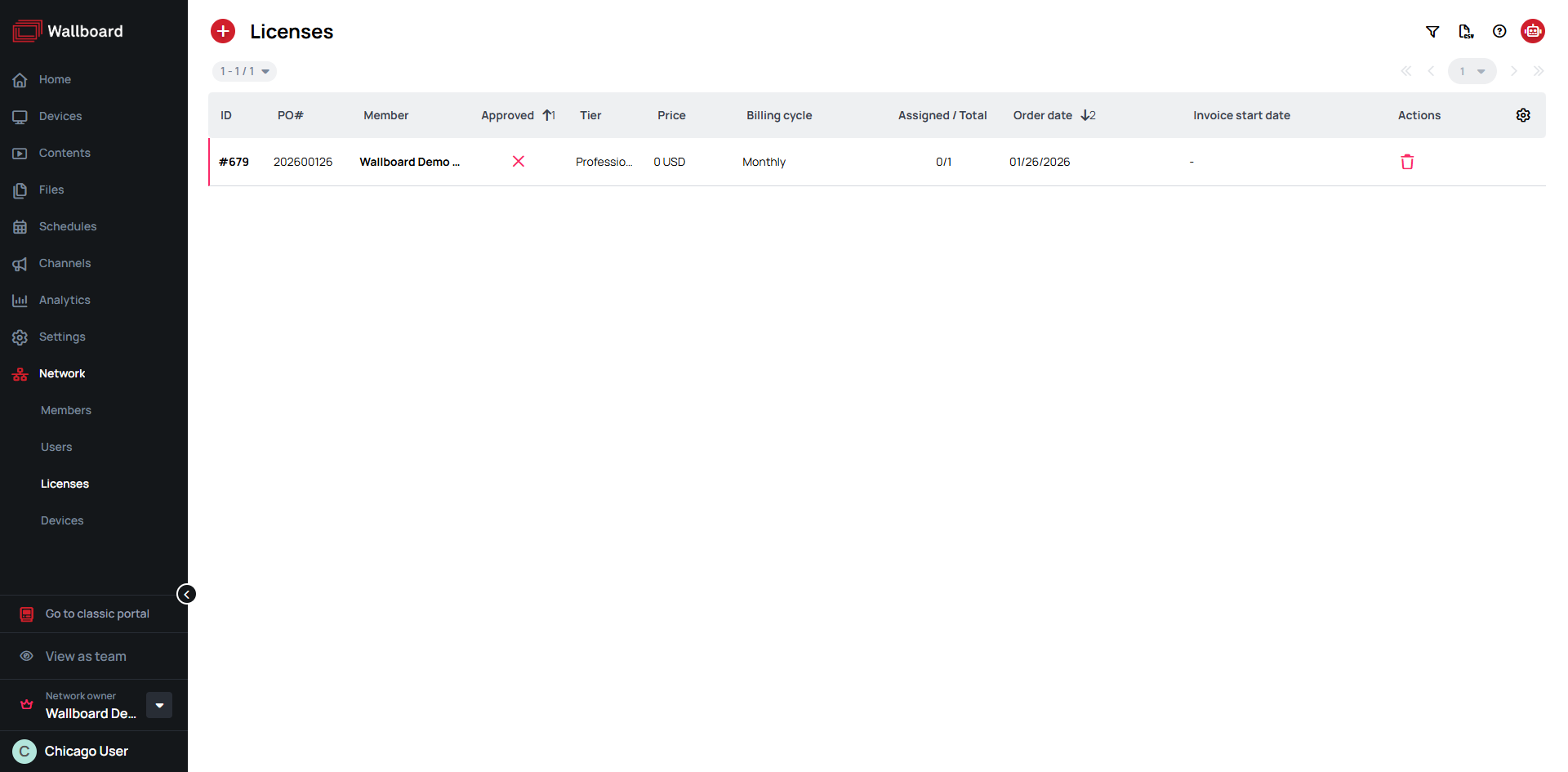
What you can see:
- ID - Unique license identifier number
- PO# - Purchase Order number
- Member - Network member/client the license is assigned to
- Approved - License approval status
- Tier - License tier level
- Price - License cost
- Billing cycle - How often the license is billed
- Assigned / Total - Number of licenses currently assigned vs. total available
- Order date - When the license was ordered
- Invoice start date - When billing begins for the license
- Actions - Remove license
Order Licenses from UI
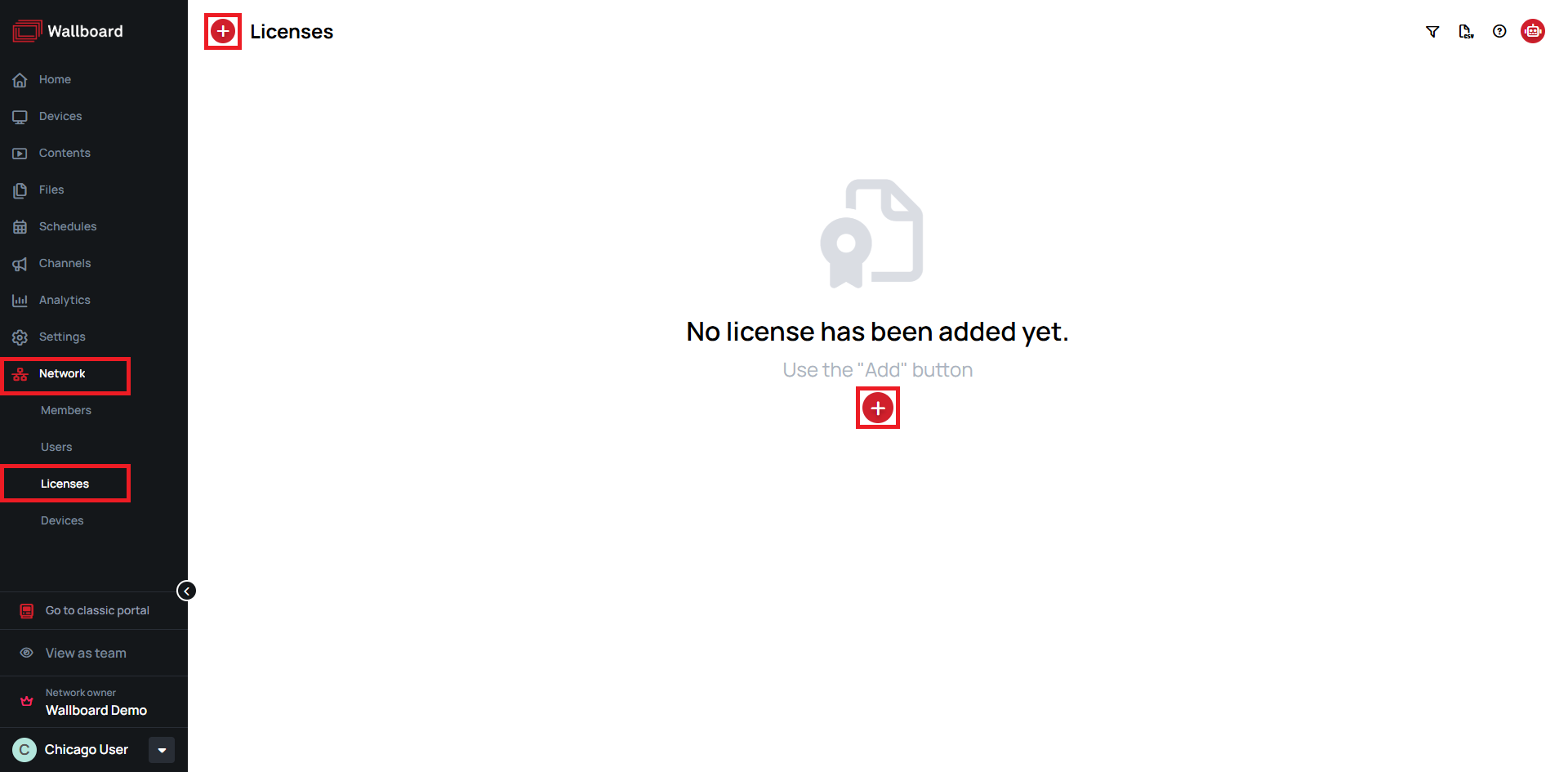
- Navigate to Network > Licenses
- Click the (Add) button
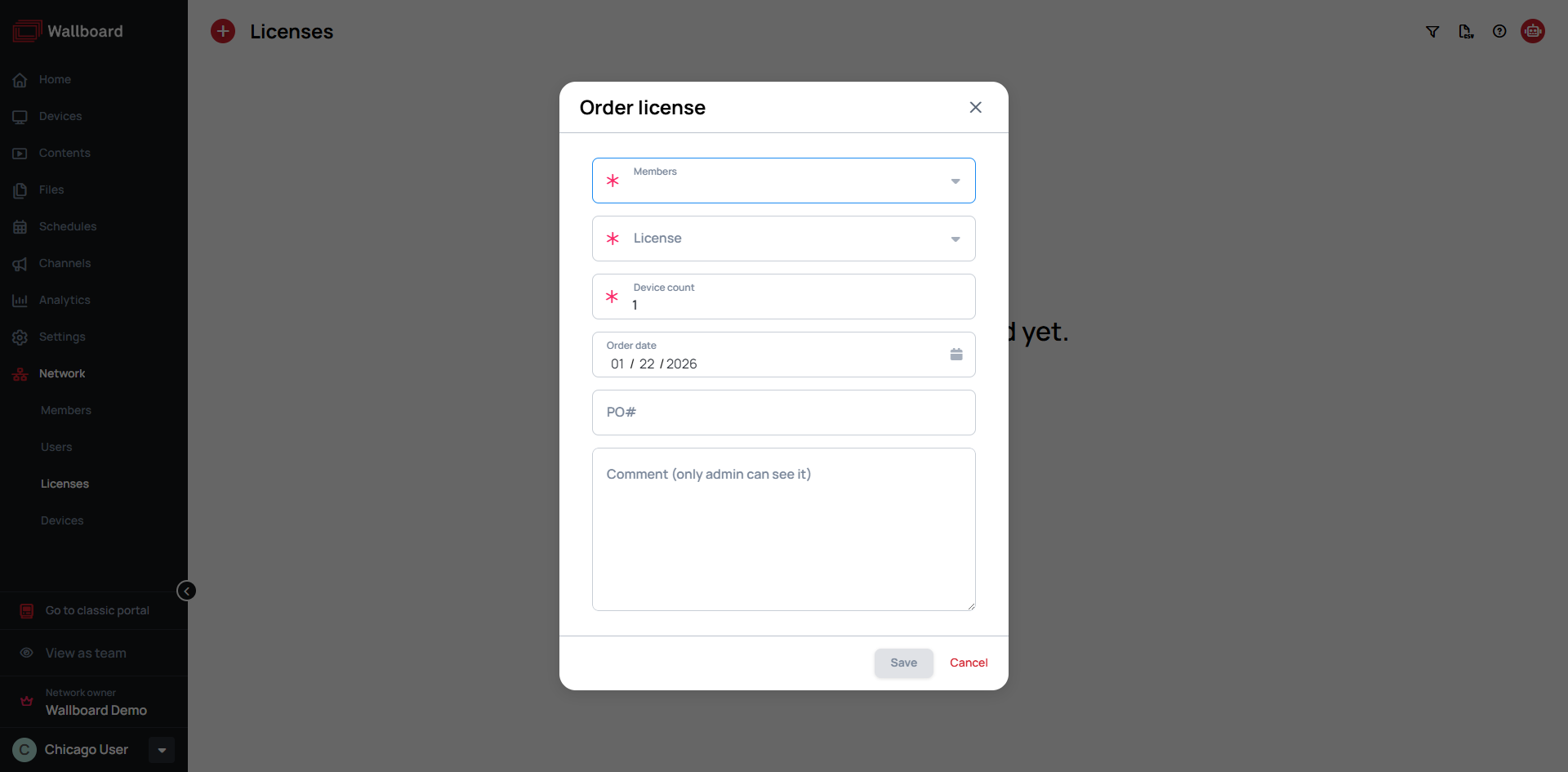
- Fill in the mandatory (marked by ) information:
- Members - Select the member to assign the license to
- License Type - Select from available licenses
- Device Count - Enter the number of devices you want to license
- The rest of the form details are optional
- License approvement is done by server owners
- Approved licenses become available after approvement
- A license can be removed only while no devices are assigned to it — unassign its devices first, then remove it
Your Network Member Administrators can order their own licenses through Settings > Licenses. These licenses will also appear in your license listings.
Order Licenses in E-mail
If you need assistance with license management or have questions about optimizing your license allocation, please contact our sales team at:
To help us process your request efficiently, please provide the following information:
- Customer Name - The customer who will use the new licenses
- License Type - The desired license type
- Device Count - The number of devices you want to license
- Industry Vertical - The business sector or industry the customer operates in (e.g., Retail, Healthcare, Education, Corporate)
- Country - The country where the customer is located