Gauge Appearance
The Gauge appearance displays the value as a traditional speedometer-style dial with a rotating needle indicator.
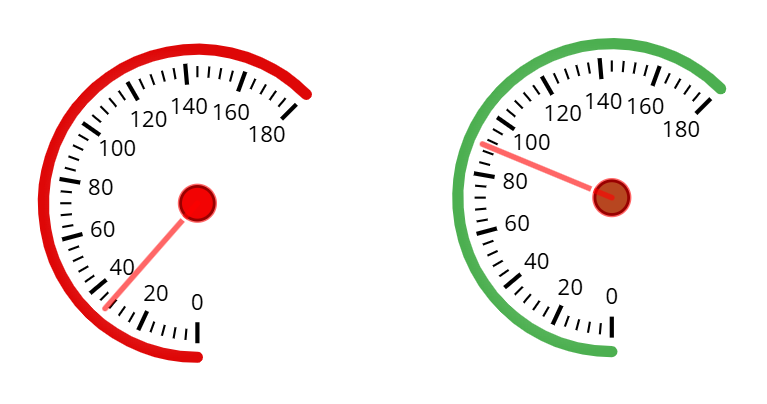
Settings
| Setting | Description | Default |
|---|---|---|
| Start Angle | Beginning angle of the gauge arc (0-360 degrees) | 0 |
| Stop Angle | Ending angle of the gauge arc (0-360 degrees) | 360 |
| Number of ticks | Number of major tick marks on the gauge (2-20). Labels are automatically calculated | 9 |
| Needle Color | Color of the indicator needle | #ff0000 (Red) |
| Ticks color | Color of the tick marks | #ffffff (White) |
| Arch color | Color of the gauge arc/track | #4CAF50 (Green) |
| Disable needle arrow | Remove the arrow tip from the needle for a simpler line indicator | false |
Gauge Angle Examples
| Configuration | Start Angle | Stop Angle | Result |
|---|---|---|---|
| Full Circle | 0 | 360 | Complete ring |
| Half Circle (Bottom) | 180 | 360 | Bottom half arc |
| Three-Quarter | 135 | 45 | Classic speedometer style |
| Quarter Arc | 0 | 90 | Top-right quadrant |