Color Appearance
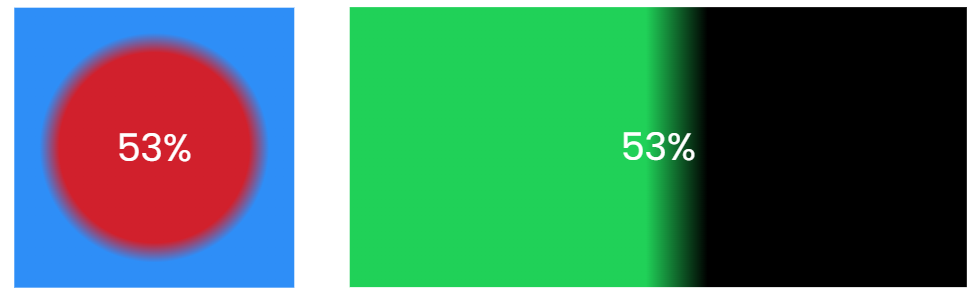
The Color appearance creates a dynamic background that transitions between two colors based on the current value's percentage within the range.
Settings
| Setting | Description | Default |
|---|---|---|
| Lower color picker | Color shown at minimum value (0%) | #d1202c (Red) |
| Upper color picker | Color shown at maximum value (100%) | #2e8ef7 (Blue) |
| Show Percentage | Display the current percentage as text overlay | true |
| Degrees | Rotation angle for linear gradient (0-90 degrees). 0 = horizontal, 90 = vertical | 0 |
Color Modes
| Mode | Description |
|---|---|
| Simple | Sharp transition between colors at the value percentage. Creates a two-tone split effect |
| Linear Gradient | Smooth gradient transition between colors. Gradient position based on value percentage |
| Radial Gradient | Circular gradient from center outward. Gradient position based on value percentage |
- Simple mode: Sharp color boundary at the percentage point
- Gradient modes: Smooth blend with offset calculations for visual appeal